OMR Information Systems Company
OMR Scanners OMR Software
Reading Technology Program Types
OMR Sheets Supplies Support
About Us Company Profile Announcements Q&A Resources Quote Request OMR Guides Access Statistics
Self-Reading PRO
Home/OMR Guides/Choosing a Computer Sign Pen

Choosing a Computer Sign Pen

The computer sign pen used on OMR sheets has black ink dark enough for the reader. Check how to choose one and its specifications.

Key points

Why use a computer sign pen

An OMR reader tells filled bubbles by how dark they are. A computer sign pen has black ink dark enough for the reader, dries quickly and smudges little. Ballpoint pens and pencils may be too light or smudge and cause reading errors.

Storage and use

Keep the cap on when not in use so the ink does not dry out. If the ink comes out faint, switch to a new pen.
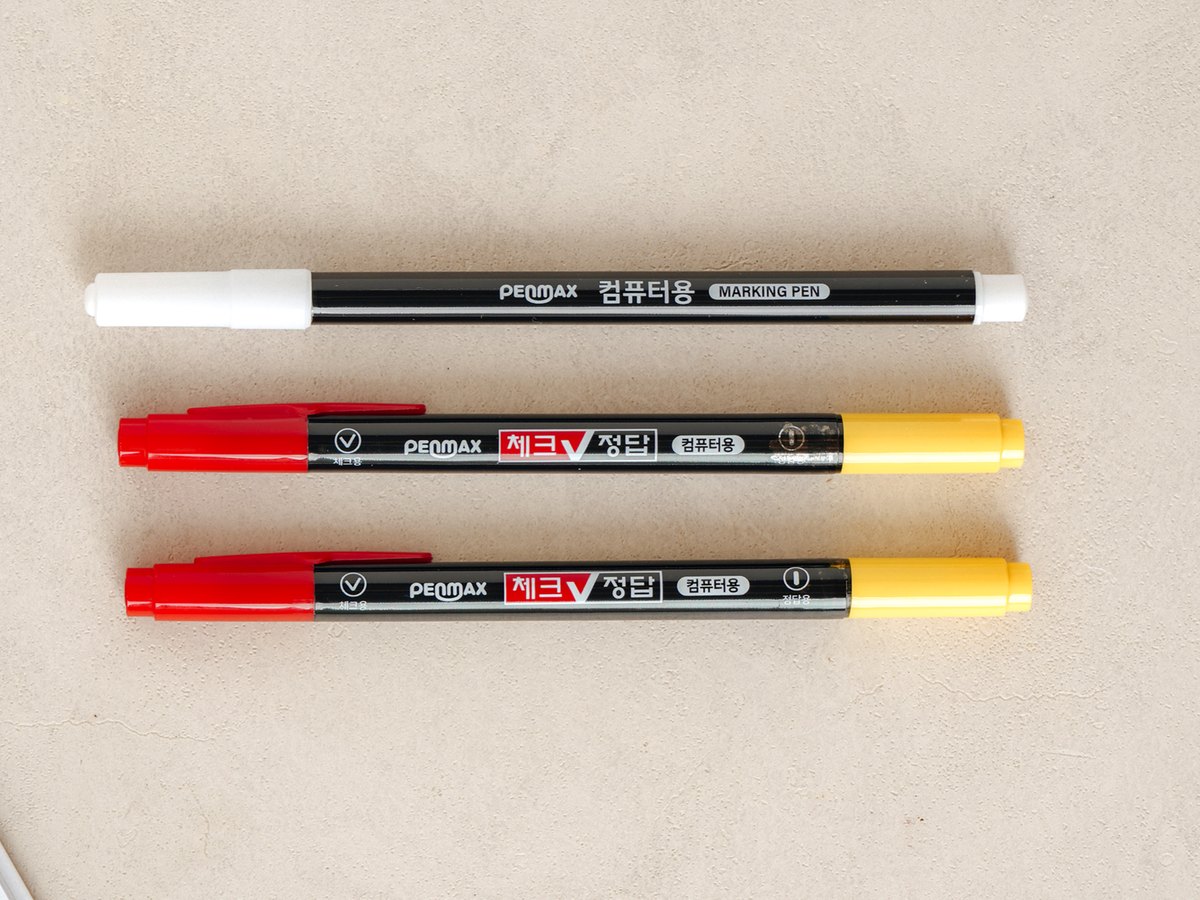
Product specifications

Choosing a Computer Sign Pen
ColorBlack (OMR standard)
Tip size1.0mm standard
InkQuick-drying, smudge-proof
Bulk supply to schools is available. View supplies

Frequently asked questions

QCan I mark with a ballpoint or pencil?
AUse a computer sign pen on OMR sheets. Other pens can cause reading errors.
QCan I buy single pens?
AOrders start from 1 box or 1 case.
QCan schools order in bulk?
AYes. For bulk orders by school or institution, we provide unit prices by quantity through a quote request.

Related guides